CoolSoft, LLC is proud to have acheived recognition as a More Awards At CoolSoft, you can shop with confidence knowing your personal
information is secure. Click here to learn more.
At CoolSoft, LLC one of our goals is to make speech recognition available and affordable to a wide community of users. Check out our great
line of four speech recognition titles below, including CoolInfo 1.10 Voice Recognition which is available for free. We also offer a
webcam software that is a great alternative to high-priced network cameras and security software, and a great anti spam
filtering program that easy to setup and use. Most of our products are unique because they include patent pending technologies. So, please hang around and browse our website to learn more about our great line of CoolSoft products. And please feel free to email our friendly support staff with any questions or comments.
NEW: Enhanced Version 2.0 just released. SpeechVibe Speech Recognition is an affordablevoice recognition program that fully replaces a mouse and keyboard for even the most difficult task. It offers universal mouse-control through automated hot-spots and a mouse-grid to perform more complex operations like drag-and-drops. further allows dictation anywhere with unprecedented formatting flexibility and a quick alternate replacement for an enhanced speech to text user-experience. Other features like text-to-speech, command and control, application-launching voice commands, and a speech-enabled Internet browser environment are also available.
This version of SpeechVibe Speech Recognition, although inexpensive, is feature packed with the most user-friendly experience that you could expect from a speech recognition product today. The intuitive interface together with easy to follow how-to videos and documentation on the speechvibe.com website make it easy for you to succeed at using voice recognition on your computer. We think this is the best speech recognition program available today, and our price certainly makes it the best value. Try our 15 day free trial and you'll see what we mean.
Visit the SpeechVibe Videos and Documentation Page on the SpeechVibe.com website for several brief demo videos that show you how powerful and easy it really is to use SpeechVibe.
SpeakToText™Speech Recognition Version 2.51 is now available. This new Version 2.51 comes with upgrades to the speech recognition layer, and several new features including advanced mode, user commands, audio file recognition, a number of new features and speech commands, and now includes CoolInfo 1.10 Voice Recognition. With SpeakToText Speech Recognition, you can dictate text directly into other applications, recognize audio files you create, have documents read to you by your computer, create your own custom speech commands, and chat hands-free with most chat programs including MSN Messenger, AIM Instant Messenger, Yahoo Messenger, ICQ, PalTalk and Skype. Send transcripts of your voice chat communications, with the new auto-send message feature. SpeakToText comes with SAPI 5.1speech recognition technology from Microsoft, and a free update feature that lets you upgrade free as we keep improving. If you purchased a previous version, don't forget to update now! SpeakToTextSpeech Recognition gives you much of the functionality of high-priced voice recognition software at a fraction of the cost. It's fun, easy to use and affordable; so, why not get your copy today. See SpeakToText Speech Recognition in the Microsoft Solution Marketplace.
Download now (65 megs) for $39.95. Get the CD for only $10.00 extra. Free 30 day fully speech enabled trial now available.
Re-released Version 1.00.23 by CoolSoft. With Speak-to-Mail™Speech Recognition you can dictate and send emails using state of the art voice recognition technology. Just open Speak-to-MailSpeech Recognition and it reads the contact list from your email program and displays an email template. You can choose recipients, dictate email and send it through your default email program entirely by speech recognition. There are three editions of Speak-to-Mail to support Outlook Express, Outlook and Netscape 7.x email programs. Speak-to-Mail includes a natural language model that let's you set up email with a single sentence, and speech recognition technology from Microsoft.
SpamMonster™Anti Spam Filter version 1.85 is an pre-release of version 2.0 that will be completed and released in late 2008. Although it's not quite finished yet, we've been using ourselves and have found it to be highly reliable, and stable. So we've decided to release an early version at half price. This version 1.85 will upgrade free to future pre-release versions and the final 2.0 version when it is released, so this is an excellent value.
Take back control of your inbox with SpamMonster™Anti Spam Filter
SpamMonster™ Anti Spam Filter is easy to setup and use. In just five minutes you can get rid of Spam, and still protect important messages. Filtering lists are easy to setup and manage, and provide you with a high degree of control over your email. SpamMonster™ sends a “challenge message” to unknown senders and quarantines their message. If the sender replies, his or her original email is automatically restored and sender is added to your “friends” list. It’s that simple! Using the find feature (new in pre-release 1.85) you can find and restore filtered emails from quarantine with the click of a mouse, so there’s less chance that you’ll miss an important email. The new remote commands feature (new in pre-release 1.85) lets you add emails to your friends list and run other commands from anywhere just by sending yourself an email with the command and your password in the subject line. And there's much more!
New Release - FlyingHouse 2.0 - Rewritten from the ground up in Visual Studio .Net - this new version is more robust and works with a wider range of webcams!
FlyingHouse™Webcam Software. With FlyingHouse™ you can take pictures with your webcam, upload the pictures to your own FTP, and view them with Internet Explorer from any place where you have an Internet connection. Use it to watch your home, office or job site. Take time-lapse photography and create slide shows using most popular graphic programs. If there is no Internet connection where you want to take pictures, FlyingHouse™ can save the pictures to your hard drive instead, so it's perfect for any situation. FlyingHouse™ is a great alternative to high-priced network cameras and security software. Get your copy today and see what we mean. See FlyingHouse Webcam Software in the Microsoft Solution Marketplace.
System Requirements: Windows XP Professional/Home or Windows 2000 with all Windows updates, a 500MHz or greater processor, 256 megs of RAM, 100mb free disc space, a USB webcam, an Internet connection (high speed or dialup), and an FTP account.
If you’re wondering why we named a webcam programFlyingHouse™, Click here for the story.
Download now (27 megs) for only for $34.95. Get the CD for only $10.00 extra. Free 30 day trial available.
CoolInfo 1.0 Voice Recognition
CoolInfo™ 1.0 Voice Recognition is a FREE speech recognition program distributed by CoolSoft, LLC. Yes, that’s right; finally, free speech recognition for everyone. CoolInfo is both useful and fun to use. With CoolInfo, you can get information from the Internet by speech, including news, weather, horoscopes, joke of the day and other news and weather websites of common interest. Users can also search Google, Yahoo, eBay and MSN entirely by speech. Other CoolInfo features let you create your own speech commands to start programs, open files, browse web pages and make their computer speak back to them; and use the Windows calculator with speech. CoolInfo is a sponsored program that displays banner ads and speaks messages for our sponsors, which makes it possible for CoolSoft to offer speech recognition for free. So please remember to visit our sponsors. See CoolInfo Voice Recognition in the Microsoft Solution Marketplace.
CoolInfo runs as a fully functional trial for 30 days. After 30 days, it must be registered and registration is FREE. To get your FREE registration key click the “Get Free Key” button in the trial dialog or visit http://www.coolsoftllc.com/coolinfo/register and complete the registration page. After registering, the trial dialog and time limitation are removed. For best results, each user should setup and train his or her own speech recognition profile (watch the “how to” video in the help menu) and use a good quality headset microphone. Say “What Can I Say” to display a list of available speech commands. To create your own speech commands, say “click settings” and go to the “User Commands” tab. All CoolInfo buttons have tool tips that indicate their functionality and speech command. The Manual and Quick Start Guide are accessible from the Help menu.
Examples of CoolInfo speech commands are “search Google speech recognition” (search command plus search term) which opens your search in the default browser, and “horoscope Taurus” which opens the daily horoscope for Taurus in the CoolInfo window (CoolBrowse) and reads the contents. To read or re-read the contents of CoolInfo, say “read info.” To pause or stop reading, click on the pause or stop reading buttons. If CoolInfo disappears in the background, say “click focus” to bring it back into view. To start the calculator, say “start calculator.” To open a link in the CoolInfo window in Internet Explorer, right click on the link and select “Open in new window.” To move between pages in the CoolInfo window, right click and select “back” or “forward.” To visit a sponsor, click on the banner.
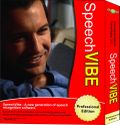
SpeechVibe Professional
$64.95
Experience this patent pending technology that will allow you to browse the Internet entirely by speech recognition, and to personalize every application with a contextual speech experience that will improve your productivity even further.
But you do not necessarily need to spend hours defining your own voice-commands, SpeechVibe Professional allows for the loading of voice-commands that may have been produced by someone else with SpeechVibe Publisher.
If you already purchased a license for SpeechVibe Speech Recognition, you do not need your receipt to upgrade to SpeechVibe Professional as we offer an upgrade path that doesn't cost you a penny more than if you'd have bought the Professional version first.
SpeechVibe Stealth - An enterprise product for companies that desire speech-enabling their products, we offer SpeechVibe Stealth. Within hours, and not months, you can have your own product(s) speech-enabled (all without touching a single line of code) and then deploy them at an extremely affordable price. Also requires SpeechVibe Publisher.
The price of $3,500 is for 500 licenses. Depending on volume, you can buy individual licenses of SpeechVibe Stealth for as low as $0.75 each. Send an email to info@speechvibe.com to inquire about volume pricing discounts.
The most powerful version of SpeechVibe, this enterprise version allows you to speech enable any Microsoft Windows application to later distribute with SpeechVibe Stealth or SpeechVibe Professional.
With SpeechVibe Publisher, you will be able to create custom hot-spots and place them anywhere into the application that you are customizing. You will also be able to create custom voice-commands of many kinds that are contextual depending on where the speech-enabled application you are working on is flowing.
Noise cancellation headset microphone from Cyber Acoustics. We've found that this microphone provides the best recognition accuracy at an excellent price. The preferred choice of our software developers.